The function "TREND" has the following objectives:
- To GET OUT OF losing trades ASAP with a smaller loss.
- To reduce the maximum drawdown.
If a trade starts losing money, "TREND" checks the direction of the market.
If the market is moving in the opposite direction, "TREND" gives you a signal to TRD-EXIT the trade with a smaller loss.
The REVERSE Function of TREND will also give you a 'RV-SELL' or a 'RV-BUY' signal to reverse the position, which means:
1. If the system is 'LONG' you will get 'RV-SELL' signal to go 'SHORT'.
2. If the system is 'SHORT' you will get 'RV-BUY' signal to go 'LONG'.
3. Both 'RV-SELL' and the 'RV-BUY' signals are followed by a 'GET-OUT' signal.
The signal TRD-EXIT from TREND is shown on:
- 1. The Trend Detail Report
- 2. The System Detail Report.
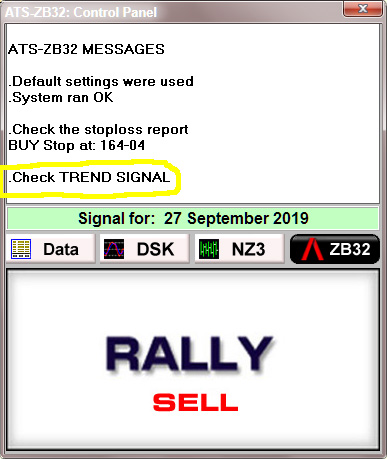
You also get a message on the Control Panel to check the TREND signal.
- When you get the "T-EXIT" signal from "TREND" close the trade and Cancel the STOP.
- When the signal "T-EXIT" goes away resume the trade.
- If a trade is closed while "T-EXIT" is still on, follow the new signal from the system.
When TREND is active you get a signal on the Control Panel
The correct way to Trade the Trend signal.
This is a sample "TREND" Detail Report with Notes.